Put Your Map Veto
On Stream
Every PROBAN Valorant draft comes with a broadcast overlay. It is a transparent web page you drop into OBS as a browser source: bans, picks and sides appear live, and the series builds itself at the bottom of the screen as the veto goes on.
No plugin, no account, nothing to install. This page covers how to get your link, how to set it up, and how to read what it shows.
What it is
The overlay is a second view of a draft that is already running. The two teams keep using the normal PROBAN page to ban and pick; the overlay simply mirrors what they do, laid out for an audience rather than for a player.
It is built for broadcast, which means one thing above all: its background is transparent. It is meant to sit on top of your gameplay capture, not to be watched on its own.
The overlay over live gameplay: two bans, a pick, and the series filling in at the bottom.
Get your overlay link
Create a Valorant room as usual and note its six-character code — the same code the teams use to join. The overlay lives at the same address with /valo/caster/ in front of the code.
Paste the code here and copy the link:
https://proban.gg/valo/caster/XXXXXX
You can add the source before anyone joins. The overlay connects as a spectator, so it never takes a team slot, and its presence keeps the room open while you wait.
Add it to OBS
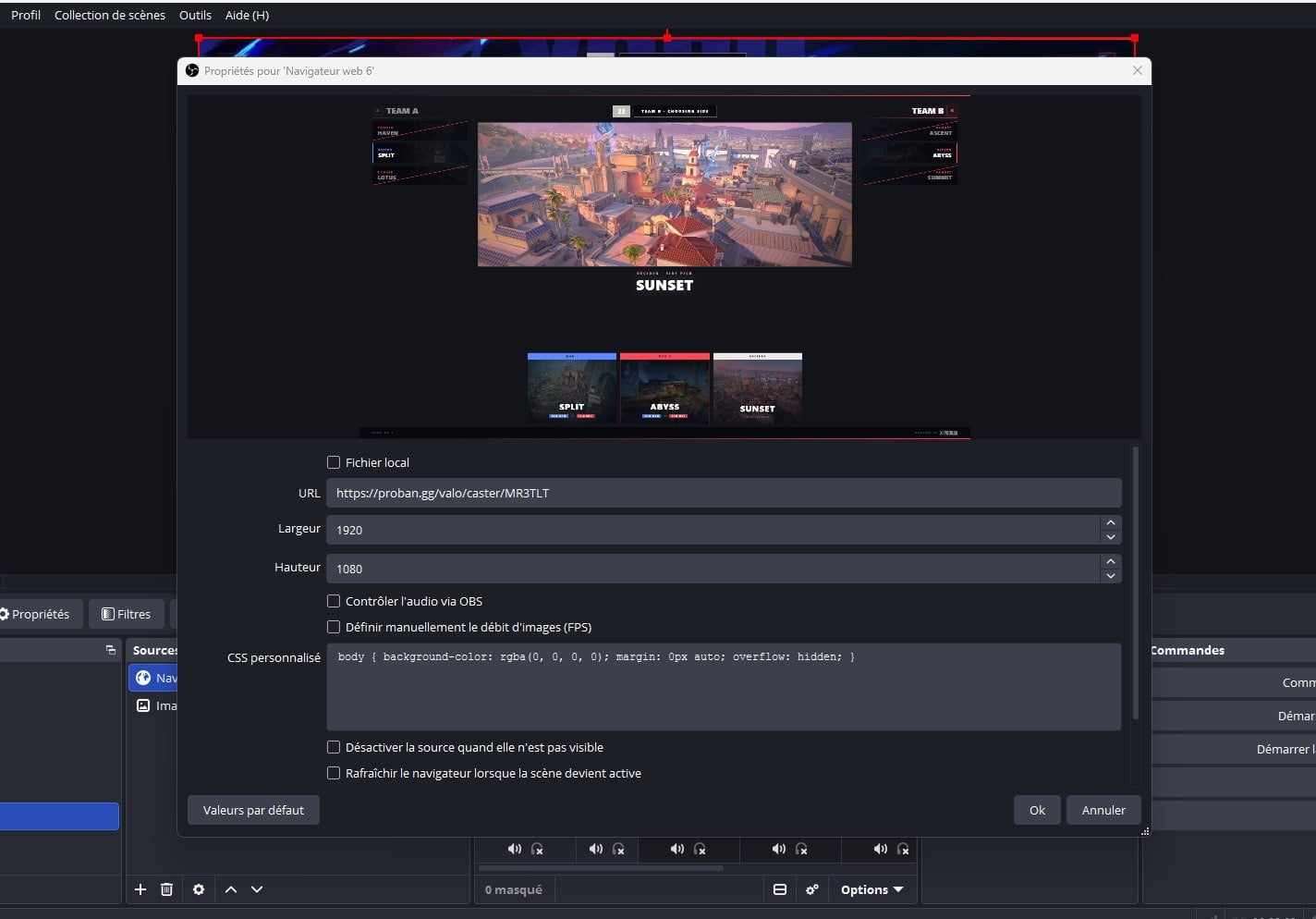
In your scene, add a Browser source, then set three things.
1 — The URL
The overlay link you just copied.
2 — The size
1920 × 1080. The layout is designed for a full canvas; scale the source down in your scene if you need it smaller, rather than shrinking the browser itself.
3 — One checkbox to leave alone
Leave Shutdown source when not visible unchecked. With it on, OBS kills the page every time you switch scenes; when you come back the overlay reconnects and replays its animations, which looks like a glitch on air.
Reading the overlay
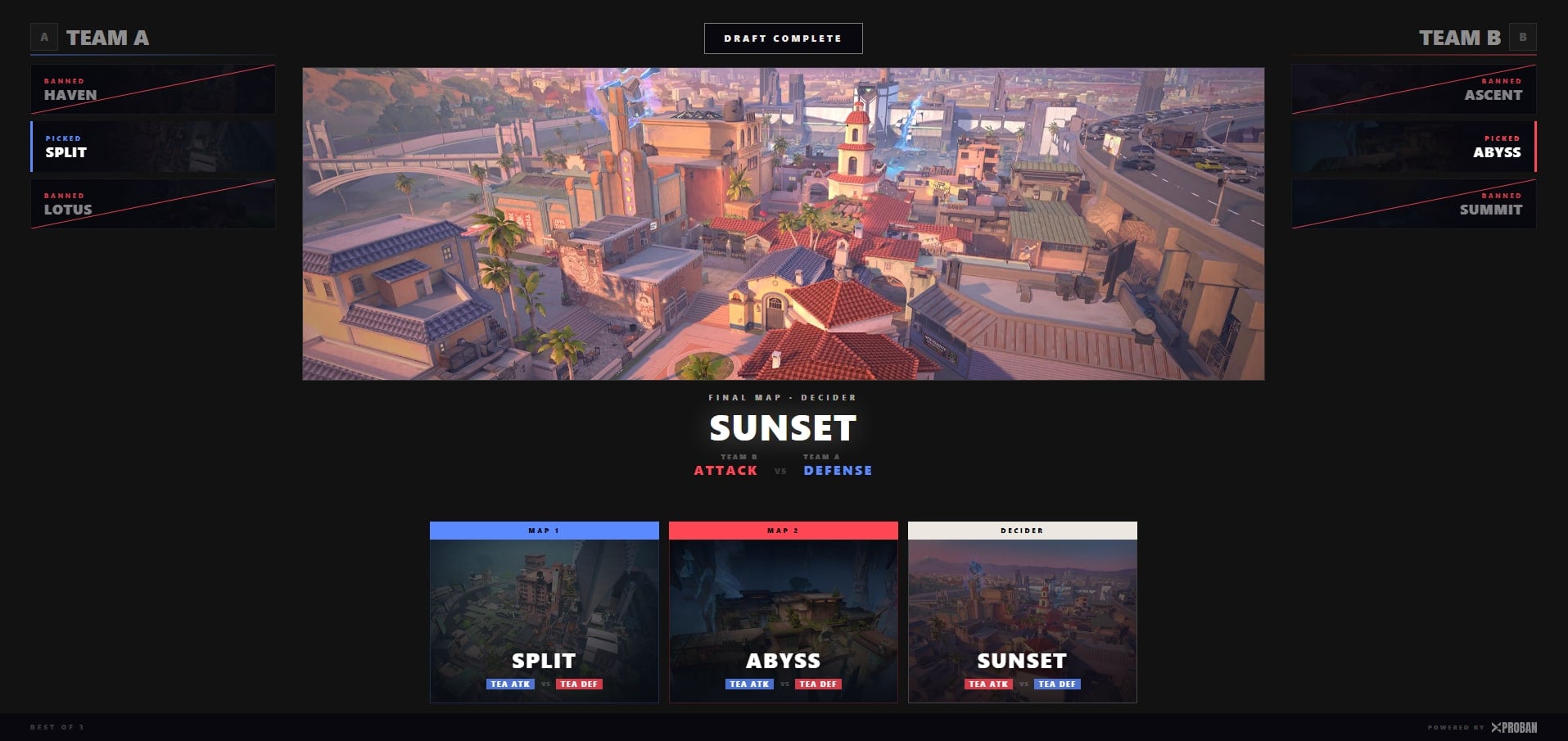
The screen is divided into three zones, and each answers a different question.
The side columns — who removed what
Each team keeps its own column. Bans are struck through in red; picks are marked with the team's colour. A commentator can see at a glance which team took which map out, without cross-referencing a grid against a history.
The centre — the map being talked about
The map that was just acted on, large. Below it, the line that matters to viewers: which team starts on attack and which starts on defense, named explicitly rather than left to be worked out.
The bottom — the series so far
One card per game, drawn from the start including the games still undecided, so the audience can see how much of the series is settled. On a best-of-one it is hidden, because there is no series to show.
What each animation means
The map in the centre does not simply appear — it plays what just happened. The point is that a commentator can describe the action without reading a word of the interface.
The veto recap
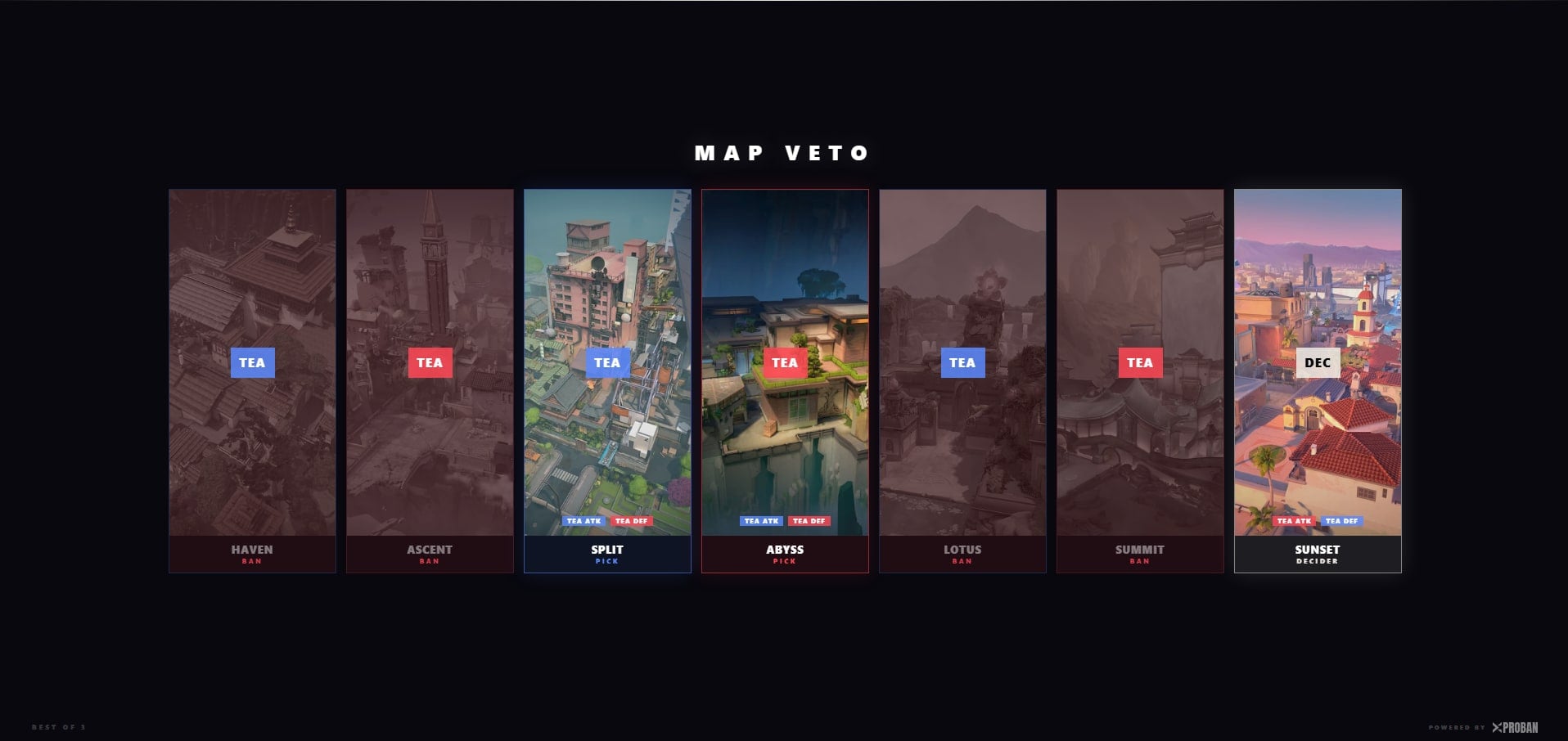
A few seconds after the last decision, the overlay switches to a recap of the whole veto: one card per map in the pool, in the order it was dealt with, from the first ban to the decider. The cards land one after another.
It replays the shape of the veto — which is what a caster talks over while the teams load in. Leave it on screen as long as you need; it does not time out.
Options
One setting is available, added to the end of the URL: ?showTimer=false hides the countdown. Use it when your broadcast already shows its own clock, so the two do not compete.
Troubleshooting
“Room not found”
The code is wrong, or the room does not exist yet. Rooms are created from the Valorant page and disappear a short while after everyone has left — a code from yesterday will not work.
The overlay is stuck on the waiting screen
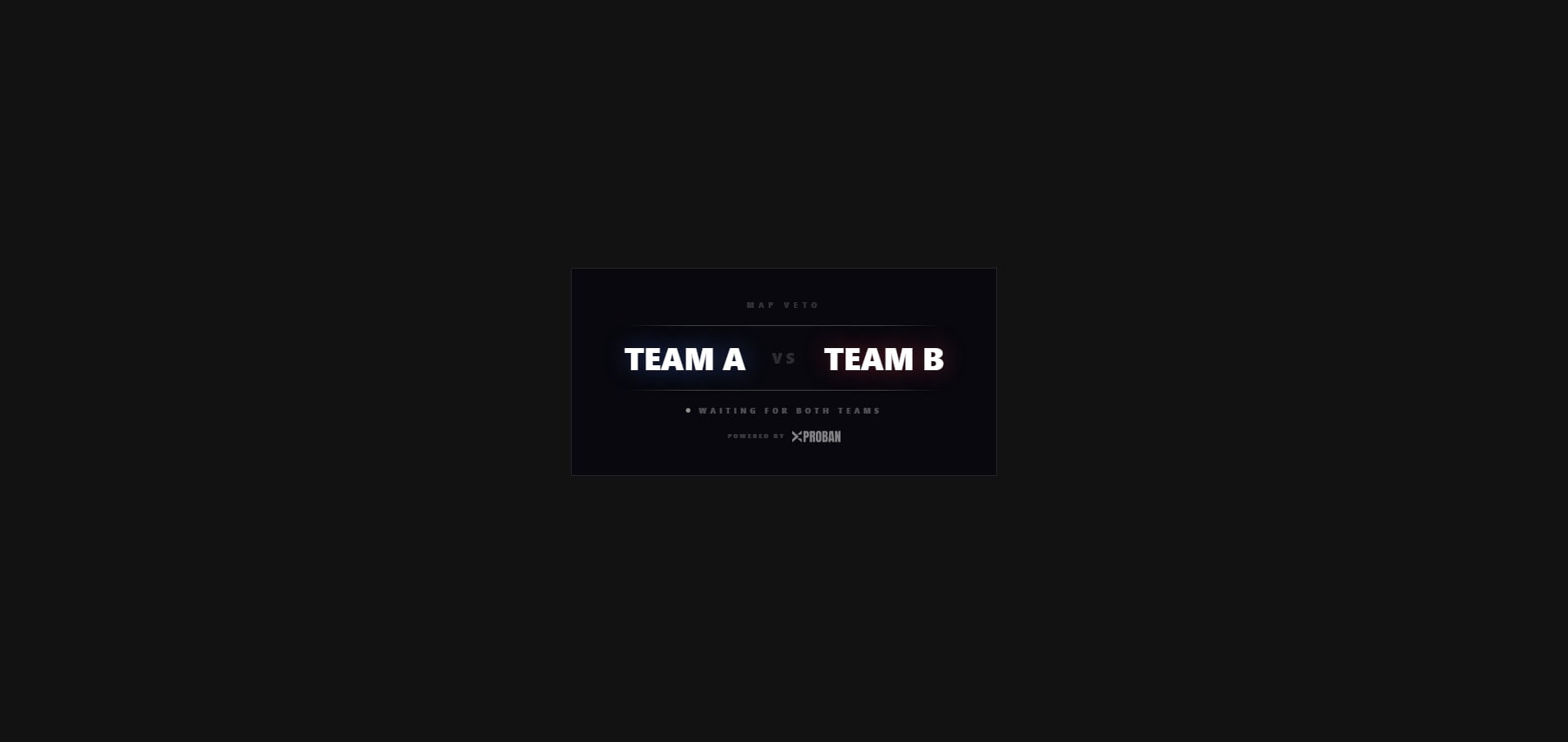
It is connected and waiting for both teams to mark themselves ready. This is the normal state between adding the source and the first ban.
The overlay froze mid-draft
Most often the room ended. Refresh the browser source; if you land back on “Room not found”, the room is gone and the draft will need a new one.
FAQ
Why is the overlay a white or empty page in my browser?
That is expected. The overlay has a transparent background so it can sit on top of your gameplay in OBS. Opened on its own in a browser you see your browser's white page behind it. Add it as a browser source and it will look correct.
Does the overlay take one of the two team slots?
No. It connects as a spectator, so both team slots stay free. It also keeps the room alive, which means you can add the source before either team joins.
Can I hide the countdown?
Yes. Add ?showTimer=false to the end of the overlay URL and the timer disappears, which is what you want when your broadcast already has its own clock.
Does it work for League of Legends drafts?
Not yet. The overlay currently covers Valorant map vetoes only. League of Legends champion drafts run on PROBAN too, but without a dedicated broadcast overlay.
Do I need an account or a plugin?
Neither. The overlay is a plain web page. Any software that can display a browser source — OBS, Streamlabs, vMix — can show it.
The overlay comes with every Valorant draft on PROBAN. Create a room, share the team links, and point OBS at the veto.
Start a Valorant draft →